Hyper Realistic Ragdoll Physics: How the Sandbox Works
Explore Hyper Realistic Ragdoll physics, learn Body Scan controls, compare unlocks, and experiment with breakable buildings, hazards, and dummy behavior.
Jump to
How Does the Ragdoll System Work?
A dummy getting back up doesn’t mean its legs still work properly. Hyper Realistic Ragdoll physics combines independently moving body parts with localized injuries, so the point of impact matters alongside the force behind it. Learn to recognize those reactions, and you can understand why one dummy limps away while another stays on the ground.
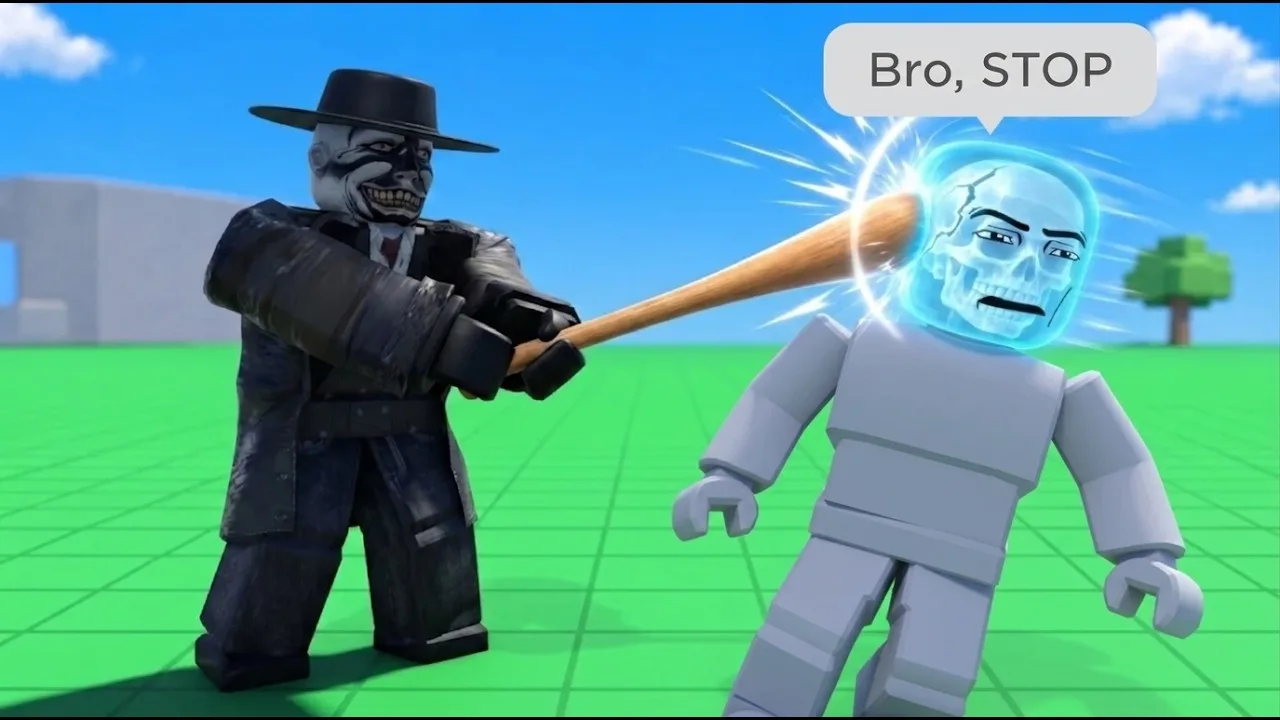
In this Roblox sandbox, arms, legs, and the head react separately. A damaged leg can cause limping, a broken leg can leave a dummy crawling, and a broken arm hangs limp. Head impacts can cause a knockout. The Body Scan lets you look beyond those visible reactions and inspect broken bones.
The characters also have behaviors beyond their physical movement. They talk, panic, fight back, recover their footing, and help other dummies. That creates two things to watch during an experiment: how the body responds to an impact and what the character does afterward.
Official page: Hyper Realistic Ragdoll (roblox.com)
PC Controls for Grabbing, Throwing, and Ragdolling
Start with the interaction controls before working through the weapon menu. Grabbing and throwing already let you explore collisions, falls, and body movement without unlocking another tool.
| PC input | Action |
|---|---|
| G | Spawn a new dummy |
| R | Revive an inactive dummy |
| V | Open Body Scan |
| C | Make your character fall or recover |
| Left mouse button | Grab a dummy |
| Mouse wheel | Adjust the distance of the grabbed dummy |
| Right mouse button | Throw a grabbed dummy |
While holding a dummy, you can swing it around or reposition it before throwing. The distance adjustment gives you control over where you hold it, which is useful when placing it near a machine or above a landing surface.
Try a simple comparison:
- Spawn a dummy with G.
- Grab it and adjust its distance with the mouse wheel.
- Throw it onto open ground.
- Open Body Scan with V and inspect the result.
- Spawn another dummy and change the landing surface or throwing position.
Change one part of the setup at a time. Switching the launch position, surface, and tool together makes it harder to understand which interaction caused the injury.
Reading Injuries With Body Scan
Body Scan is the tool for checking what a fall or collision actually did. Its X-ray view identifies broken bones in individual body parts. Use it alongside the dummy’s movement rather than judging its condition from whether it is standing.
Watch for these visible injury responses:
- Limping: A leg has taken damage.
- Crawling: A broken leg can prevent normal walking.
- A hanging arm: A broken arm loses its normal movement.
- Collapsing after a head impact: The dummy can be knocked out.
A fall, a broken limb, and a knockout are different outcomes. Dummies can stumble and stand again, while an injured character can remain active with restricted movement. Scan after an impact before deciding whether to continue the experiment or use a recovery tool.
Healing and Reviving Dummies
Recovery tools include the Defibrillator, Heal Dart, and Medkit. They let you restore characters and continue interacting with them.
Unlocking these tools adds another way to experiment: injure a dummy, inspect its condition, apply treatment, and watch how its movement changes. Other NPCs can also help injured characters, so nearby dummies can become part of the scene without you directing them.
Tools, Forces, and KO Unlocks
The arsenal covers melee weapons, guns, throwables, powers, medical equipment, and Robux purchases. Your starting options include Fists, Fire Axe, Pistol, Grenade, and Push Gun.
Switching tools changes the interaction. Melee weapons bring you into contact range, firearms let you target a particular body part, and explosives affect an area. Powers add other possibilities, including balloons and tools that lift or alter dummies.
These unlocks expand the kinds of experiments you can set up:
| Tool | KO requirement |
|---|---|
| Balloon | 30 |
| Defibrillator | 100 |
| Heal Dart | 110 |
| Grow Gun | 125 |
| Medkit | 150 |
| Katana | 400 |
| Frost Gun | 1,100 |
| Sledgehammer | 2,000 |
| Lift Gun | 3,300 |
Track your next unlock through the Next indicator on the right side of the screen. It displays the upcoming tool and your progress toward it.
If you want to work toward an unlock, aim the Pistol or Hand Cannon at dummy heads for quick KOs. For studying localized injuries, target limbs and inspect the result instead.
Some weapons, including the Rocket Launcher, Minigun, and Void Gun, require Robux purchases rather than KO progression. Use the starting tools to explore grabbing, impact reactions, scanning, and destruction before deciding whether to expand the arsenal.
Destructible Buildings and Vehicle Impacts
Walls, towers, trees, and buildings can break apart. Destruction also leaves objects you can interact with: broken roof pieces, for example, can be picked up.
A tower doesn’t always collapse after one collision. It can remain leaning after damage and fall after further impacts or an explosion. That makes the structure’s condition worth watching between attempts.
To explore building destruction:
- Choose a breakable wall or tower.
- Strike it with a vehicle or use an explosive.
- Watch which sections separate and which remain standing.
- Apply further damage and observe how the collapse changes.
Cars can also explode, adding another interaction to a collision setup. The vehicle roster includes a Car, Monster Truck, and Battle Tank; the Monster Truck and Battle Tank have paid access options.
Keep loose debris in mind when comparing outcomes. A dummy landing on rubble is interacting with a different surface than one landing on clear ground.
Surfaces, Machines, and Animal Encounters
The map gives you more ways to move a dummy than simply throwing it. Slippery ice, sticky surfaces, large machines, and animals each create different interactions.
Ice and Sticky Surfaces
Ice provides a slippery surface for testing sliding movement. Sticky, honey-like areas can trap characters and restrict their movement.
Place a dummy on each surface and watch what happens before adding another tool. That keeps sliding or sticking separate from the effects of a weapon hit.
Fans, Cannons, Crushers, and Trains
Giant fans can propel characters through the air, while cannons launch dummies across the map. Crushers compress their targets, and trains create fast collisions along the tracks.
Check a fan’s blowing direction before positioning a dummy. Its airflow can move your character too, so stand clear when you want to watch the launch.
For a cannon experiment, focus on both ends of the interaction: the launch and the landing. Inspect the dummy afterward rather than assuming that traveling a long distance automatically caused a knockout.
The map also includes hazards such as acid, fire, and a Tesla coil. These produce different damage effects from a simple fall or blunt impact.
Wildlife Has Its Own Reactions
Animal encounters include sharks, crocodiles, giant spiders, and a T-Rex. Their attacks add distinct movements to the sandbox: crocodiles perform a rolling attack, while giant spiders wrap dummies in webbing.
Watch a creature encounter on its own before combining it with another hazard. That lets you see the animal’s attack sequence without a fan, explosion, or vehicle interrupting it.
Events That Change the Sandbox
Environmental events change movement, damage, and activity around the map. Several affect movement or destruction across a wider area:
- Tornado: Pulls characters and objects toward it.
- Tsunami: Sends a large wave through the environment.
- Meteor Rain: Adds falling impacts and area destruction.
- Weightless: Removes gravity and changes movement.
- Disco Party: Makes dummies dance, including injured ones.
- Wildfire: Spreads fire across the map.
Use Weightless to explore movement without normal gravity, or trigger a disaster to watch structures and dummies react together. Scan individual characters afterward if you want to separate their visible movement from the injuries they received.
Graveyard Zombies and Infection
The graveyard adds another character state: buried dummies can return as zombies. Zombies move independently and can infect other dummies through attacks, allowing an outbreak to spread around the map.
Keep that interaction separate from ordinary revival when comparing recovery methods. A zombie introduces attacks and infection into the scene, while medical tools let you continue working with a restored dummy. Spawn a fresh dummy before testing a normal injury response in an area where zombies have taken over.
Continue with
 Hyper Realistic Ragdoll Settings: Speed and GravityAdjust Hyper Realistic Ragdoll settings for movement speed and gravity, learn PC controls, and use Body Scan to compare dummy experiments step by step.
More in Mechanics
Hyper Realistic Ragdoll Body Scan: X-Ray & Bone Guide
Learn how the Hyper Realistic Ragdoll body scan works, press V to inspect broken bones, and use recovery tools to keep your experiments moving forward.
Hyper Realistic Ragdoll Destruction: How to Break It
Explore Hyper Realistic Ragdoll destruction with breakable towers, explosive tools, vehicles, and disasters. Learn the controls and plan the next collapse.
Hyper Realistic Ragdoll Fall Damage: Drops and Recovery
Explore Hyper Realistic Ragdoll fall damage, inspect broken bones with Body Scan, and learn the PC controls and recovery tools for your dummy drop test.
Hyper Realistic Ragdoll How To Ragdoll: PC Controls
Hyper Realistic Ragdoll how to ragdoll guide: learn the PC fall and recover control, grab and throw dummies, scan injuries, and use tools to revive them.
Join the community
Official channels for news, updates and player help: