Hyper Realistic Ragdoll NPCs: Combat and Revive Guide
Learn how Hyper Realistic Ragdoll NPCs react to damage, fight back, and help each other. Master spawning, Body Scan, revival tools, and zombie encounters.
Jump to
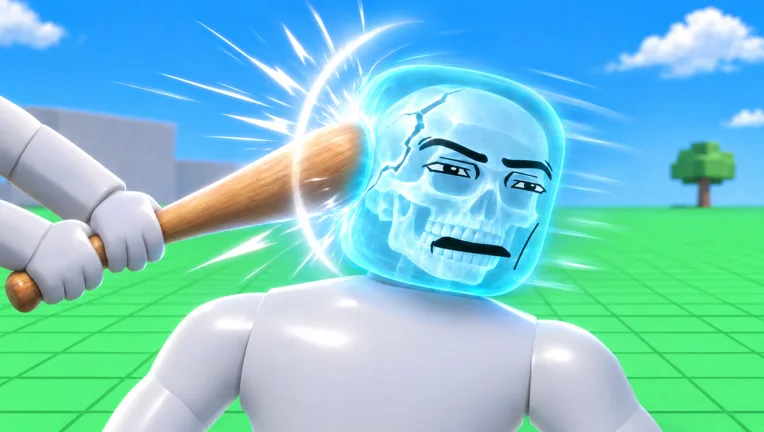
Hyper Realistic Ragdoll NPCs can fight back, panic, and help injured characters nearby. Where you hit a dummy changes how it moves, so a fall doesn’t always mean you’ve scored a KO. Learn the spawning controls, Body Scan, and recovery tools to understand what happened and keep experimenting.
How NPCs Behave in Hyper Realistic Ragdoll
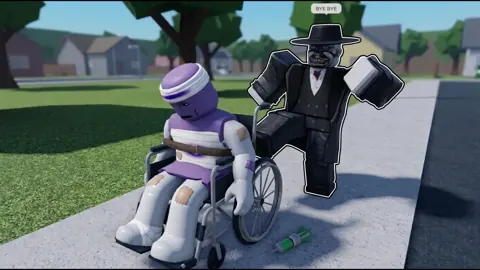
The human-shaped dummies combine AI behavior with physics that let their body parts react independently. They can stumble after an impact, recover their footing, or struggle to move because of an injured limb.
They also respond to what’s happening around them:
- Threats: Dummies can panic when threatened, including when you aim a weapon at them.
- Combat: They can retaliate after taking damage.
- Injured neighbors: Nearby NPCs can offer help, including carrying injured dummies.
- Conversation: Dummies talk and react to one another.
Watch the surrounding characters during an encounter. The dummy you hit might fall while another approaches to help, changing a simple physics test into a group interaction.
Give a fallen dummy time to respond before attacking again. Getting back up, crawling, and remaining motionless represent different situations, and the Body Scan helps explain the difference.
Official page: Hyper Realistic Ragdoll (roblox.com)
How to Spawn, Grab, and Throw Dummies
On PC, these controls handle the main interactions:
| Input | Action |
|---|---|
| G | Spawn a new dummy |
| R | Revive an inactive dummy |
| V | Open Body Scan |
| C | Make your own character fall or recover |
| Left mouse button | Grab a dummy |
| Mouse wheel | Adjust the grabbed dummy’s distance |
| Right mouse button | Throw a grabbed dummy |
Start in an open area so you can watch the landing without nearby machinery or collapsing objects interfering.
- Press G to create a dummy.
- Grab it with the left mouse button.
- Use the mouse wheel to adjust its distance.
- Swing or throw it, then watch how it lands.
- Press V to inspect its condition.
Grabbing and throwing can cause physics damage without a weapon. Change one part of the setup at a time—such as the landing surface or throwing direction—to make the resulting reactions easier to compare.
Remember that C controls your character’s ragdoll state. Use it to recover when you’re the one lying on the ground.
How Body-Part Damage and Body Scan Work
A dummy’s reaction depends on which body part takes the hit. Damage affects movement rather than producing the same collapse every time.
| Body part or injury | Result |
|---|---|
| Damaged leg | The dummy limps |
| Broken leg | The dummy crawls |
| Broken arm | The arm hangs limp |
| Head impact | The dummy can faint |
Press V to open the X-ray-style Body Scan and inspect broken bones. Use it after an impact to connect the visible reaction with the affected body part.
For example, a dummy crawling after a fall has a different problem from one that briefly stumbles and stands. Scan before repeating the test so you can see what the initial impact did.
For targeted experiments, aim at a limb rather than immediately going for a headshot. Headshots with the Pistol or Hand Cannon are useful for quick KOs, but they leave less opportunity to watch a dummy limp, recover, or retaliate.
How to Heal and Revive NPCs
You can use R to revive an inactive dummy on PC. Medical tools also let you restore characters and continue interacting with them.
The Medic category unlocks through KO progression:
| Tool | KO requirement |
|---|---|
| Defibrillator | 100 |
| Heal Dart | 110 |
| Medkit | 150 |
The Defibrillator and Medkit bring inactive dummies back, while the Heal Dart provides another recovery option.
Unlocking these tools gives you more ways to continue a test with the same character. After an impact, inspect the dummy, use a recovery tool, and watch its movement before trying another hazard.
Keep the experiment away from active dangers while you heal. A nearby fire, machine, or collapsing structure can interfere with the recovery you’re trying to observe.
Other NPCs can help injured characters too. Pause your own interactions to watch that behavior; repeatedly grabbing or hitting the injured dummy interrupts the situation you’re trying to study.
Fighting Dummies and Earning KOs
KOs unlock additional tools, and the Next indicator on the right side of the screen shows the upcoming reward and your progress toward it.
Several early unlocks give you different ways to interact with NPCs:
| Tool | KO requirement |
|---|---|
| Bat | 5 |
| Hand Cannon | 10 |
| Molotov | 20 |
| Rock | 25 |
| Balloon | 30 |
| Bow | 35 |
For quick KO progression, use the Pistol or Hand Cannon and aim for the head. For physics experiments, switch between melee attacks, projectiles, throws, and power tools to compare their effects.
Dummies can fight back after taking hits. Leave room to move when testing close-range weapons, and watch whether your target starts recovering before approaching again.
Visit the Fight Ring for close-range combat interactions. It gives you another setting for watching dummies exchange attacks, stumble, and get back up.
Zombies and the Graveyard
The graveyard adds undead NPCs to the sandbox, and the Zombie Outbreak event introduces zombies into the environment.
Zombie attacks can infect other dummies, allowing an outbreak to spread beyond the initial encounter. Keep an ordinary dummy away from zombies when you want to study its normal reactions. Bring them together when you want to watch infection behavior.
Zombies remain part of the ragdoll system: they can fall, take limb damage, and react to physical forces. Use Body Scan and watch their movement rather than assuming that falling over has ended the encounter.
How Hazards, Animals, and Events Affect NPCs
The environment can damage and move dummies without a direct weapon hit. Breakable walls, towers, and trees add falling debris, while larger machines create different kinds of impacts.
Try these interactions separately:
- Giant fan: Watch how airflow moves a dummy.
- Cannon: Launch a dummy and inspect the landing damage.
- Crusher: Compare compression with the effects of a fall.
- Destructible structures: Observe how collapsing objects affect nearby characters.
Wildlife adds its own interactions. Sharks, crocodiles, giant spiders, and a T-Rex inhabit the map. Crocodiles perform rolling attacks, while giant spiders can wrap dummies in webs.
Environmental events change the setup further. Tornado pulls characters and objects toward it, Tsunami sweeps through the surroundings, and Meteor Rain creates destructive impacts. Weightless removes gravity, while Disco Party makes dummies dance—even injured ones.
Scan a dummy before and after a hazard to compare its condition. Keep weapon attacks out of that test so the environmental effect is easier to identify.
Continue with
 Hyper Realistic Ragdoll Giant Spider: Pit Interaction GuideExplore the Hyper Realistic Ragdoll giant spider pit, learn how webbing and feeding work, and use dummy controls to set up encounters and attempt rescues.
More in Dummies & Creatures
See all Dummies & Creatures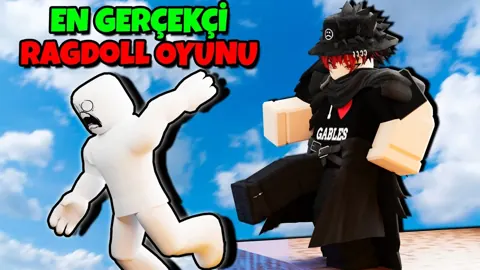
Continue exploring
Join the community
Official channels for news, updates and player help: