Hyper Realistic Ragdoll Fight Ring: Melee Combat Guide
Master the Hyper Realistic Ragdoll fight ring, learn how dummies fight back, and use melee tools, Body Scan, and revival controls to practice close combat.
Jump to

What Is the Fight Ring?
The Hyper Realistic Ragdoll fight ring is a dedicated area for close-range combat, where dummies can trade hits and react through the game's ragdoll physics. Their ability to stumble, get back up, and fight back makes watching their movement part of the fun. Start with Fists and pay attention to what happens between punches.
The ring is one of the map's interactive attractions, alongside the cannon, crusher, and giant fan. Its appeal comes from the dummies themselves: individual limbs react to damage, and a character falling over doesn't always mean the interaction is finished.
Watch the fighters before joining in. Let a knocked-down dummy attempt to recover, then observe how its movement changes after another hit. That pause makes the difference between a temporary stumble and a more serious injury easier to recognize.
Official page: Hyper Realistic Ragdoll (roblox.com)
Melee Tools and Their Unlock Requirements
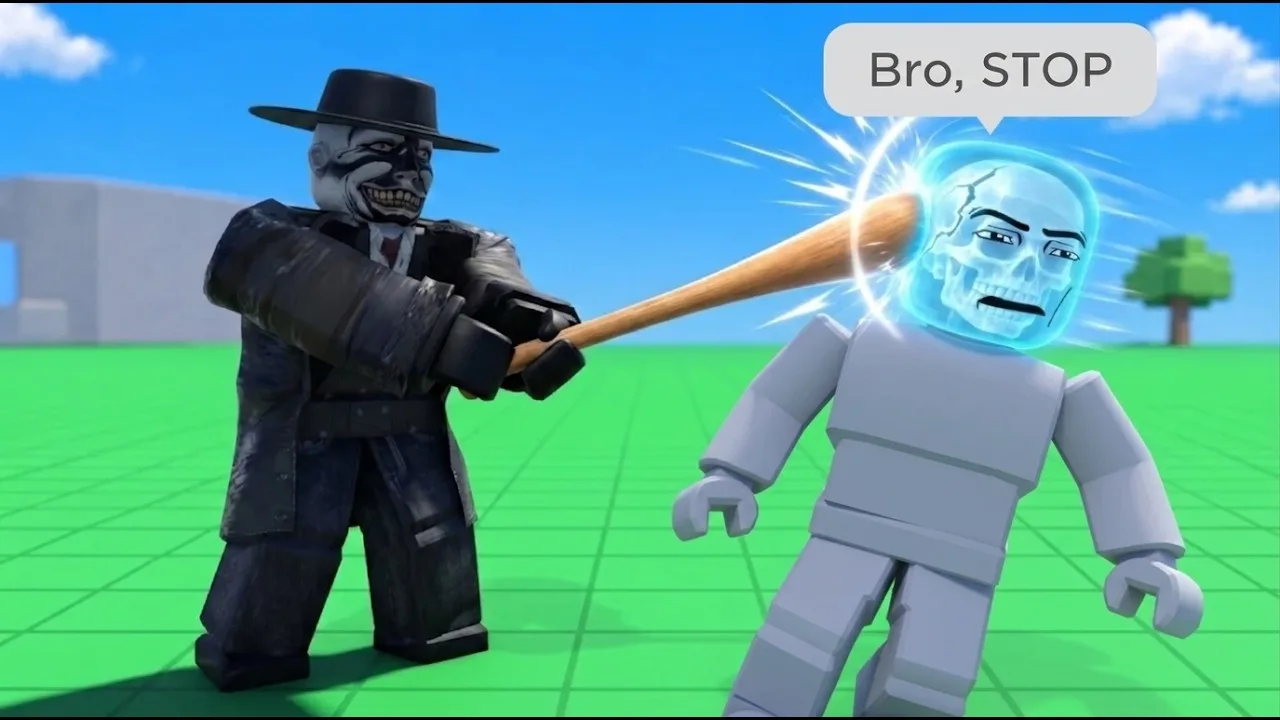
Fists and the Fire Axe are available immediately. Additional melee tools unlock through KO progression, giving you more options as you play.
| Melee tool | Unlock requirement |
|---|---|
| Fists | Available by default |
| Fire Axe | Available by default |
| Bat | 5 KOs |
| Katana | 400 KOs |
| Sledgehammer | 2,000 KOs |
Use Fists to begin with punches, then switch tools to compare how the dummy responds. The Katana provides a close-range slashing option, while the other melee unlocks expand the equipment you can experiment with.
Keep the test simple: change the tool while keeping your intended target body part consistent. Switching weapons and aiming at a different limb at the same time makes the results harder to compare.
Track your next tool through the Next indicator on the right side of the screen. It displays your upcoming unlock and progress toward it. Work toward the Bat's five-KO requirement before focusing on the much higher Katana or Sledgehammer thresholds.
Read the Dummy's Movement After Each Hit
Damage affects separate body parts, so the result of an exchange involves more than whether a dummy remains standing.
- Leg damage changes movement. An injured leg can cause limping, while a broken leg can leave the dummy crawling.
- A broken arm goes limp. Watch the arm's position after an impact.
- Head hits can cause fainting. Use another target if your goal is to observe movement over a longer exchange.
- Dummies can retaliate. Leave room to move when approaching one you have already hit.
Pause after a short exchange and use Body Scan to inspect the result. Its X-ray view shows broken bones, helping you connect visible behavior with the affected body part.
Avoid judging a dummy's condition from its posture alone. Dummies can stumble and stand again, and their behavior also includes panic, communication, and helping other NPCs. Watch what happens after the initial fall before intervening.
PC Controls for Scanning and Recovery
These PC shortcuts handle the sandbox's basic dummy interactions:
| Key | Action |
|---|---|
| G | Spawn a new dummy |
| R | Revive an inactive dummy |
| V | Open Body Scan |
| C | Make your character fall or recover |
Practice spawning, scanning, and reviving before juggling several interactions. Inspect a dummy after an exchange, restore it, and repeat with a different tool or target limb.
Recovery tools also unlock through KOs: the Defibrillator at 100 KOs, Heal Dart at 110 KOs, and Medkit at 150 KOs. These provide ways to restore characters instead of continually replacing them.
For direct positioning, use the left mouse button to grab a dummy and the mouse wheel to adjust its distance. Keep grabbing and throwing separate from your melee comparisons: those interactions also apply physics-based damage, which changes what you see in the next scan. You can also swing a grabbed dummy around before throwing it to trigger further ragdoll reactions.
Continue with
 Hyper Realistic Ragdoll Vehicles: Cars, Trucks & TanksExplore Hyper Realistic Ragdoll vehicles, including the Car, Monster Truck, and Battle Tank. Compare Robux prices and plan your next physics experiment.
More in World & Vehicles
Hyper Realistic Ragdoll All Maps: Locations to Explore
Explore Hyper Realistic Ragdoll all maps with a guide to the Fight Ring, graveyard, animal pits, machines, vehicles, and destructive environmental events.

Hyper Realistic Ragdoll Disaster Survival: Rescue Guide
Master Hyper Realistic Ragdoll disaster survival with event tips, Body Scan controls, medical tool unlocks, and rules for your five-life rescue challenge.
Hyper Realistic Ragdoll World Guide: Map and Hazards
Explore the Hyper Realistic Ragdoll world guide for destructible buildings, wildlife, vehicles, disasters, and practical tips for your sandbox session.
Continue exploring
Join the community
Official channels for news, updates and player help: